Core Features
AI Agents
Use Claude Code and other AI agents
Overview
Run AI coding agents in isolated workspaces. Each agent works independently without interfering with others.
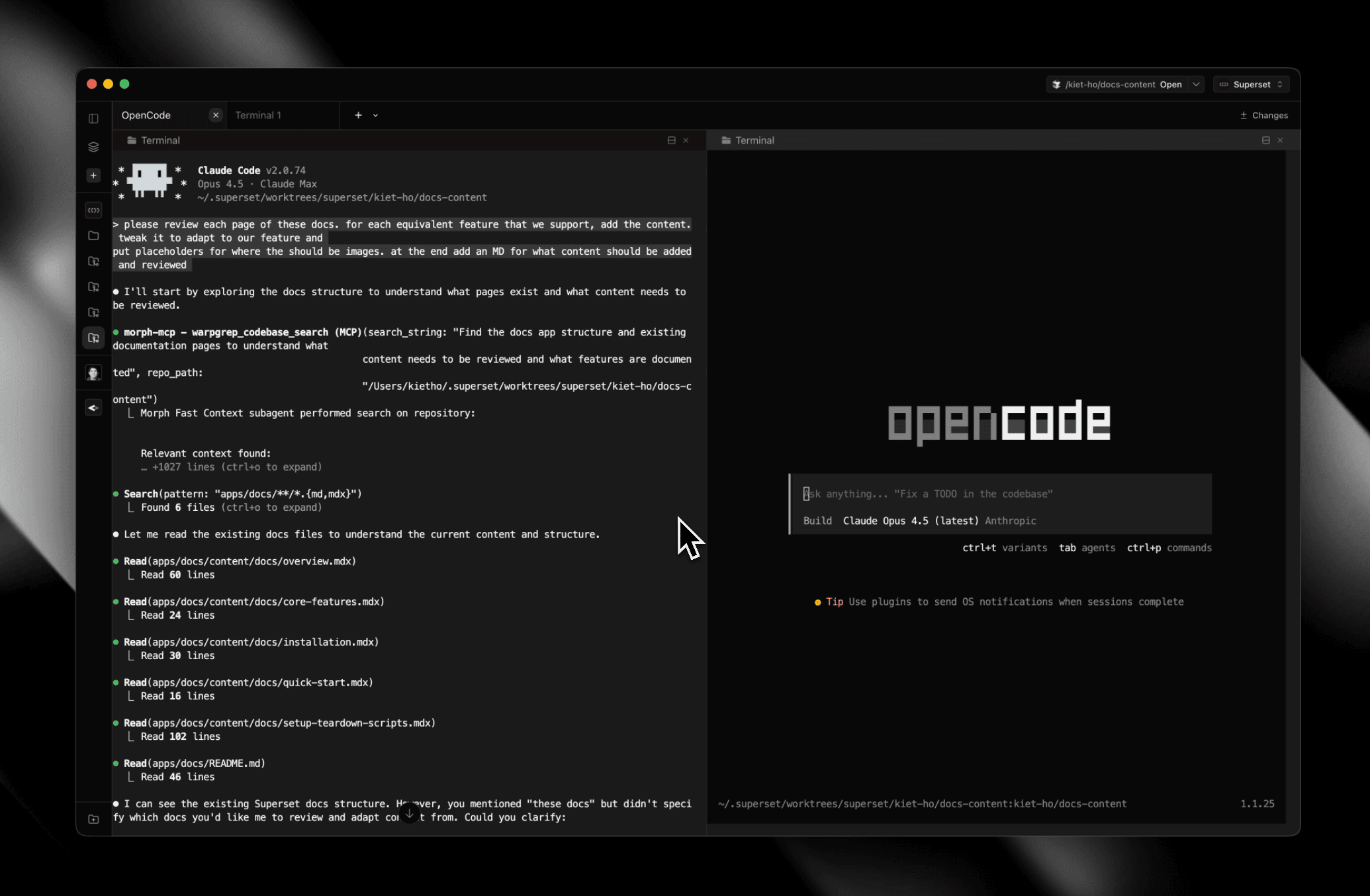
Supported Agents
- Claude Code - Anthropic's CLI
- Amp - Amp Code CLI
- Codex - OpenAI's assistant
- Gemini CLI - Google's CLI agent
- Mastracode - Mastra's terminal coding agent
- OpenCode - Open-source alternative
- Pi - Minimal terminal coding harness
- Oh My Pi - Terminal-first coding agent with session-aware workflows
- Copilot - GitHub's coding agent
- Mistral Vibe - Mistral's terminal coding agent
- Kimi Code - Moonshot AI's CLI coding agent
- Grok - xAI's CLI coding agent (Grok Build)
- Cursor Agent - Cursor AI agent
- Droid - Factory's autonomous coding agent
- Polygraph - Meta-harness with cross-repo visibility and persistent memory
- Hermes - Nous Research's autonomous coding and research agent
- Muse Code - Meta's terminal coding agent with persistent subagents
- Devin - Cognition's Devin agent in the terminal, with Devin Cloud handoff
- fx - Vercel's terminal coding agent
- Antigravity - Google's Antigravity CLI (
agy) - Kiro - AWS's spec-driven CLI coding agent
- UFO - UFO's workspace assistant for local and remote terminal workflows
Chat
Paradev includes a built-in chat panel for AI interactions without leaving the app.
- Use the model picker to choose supported models and connect providers
- Chat session titles are generated automatically from the conversation
- Use the thinking level control to adjust reasoning effort for the selected model
Models and Reasoning Effort
The model pickers include GPT-6 Astra, GPT-6 Sol, and GPT-6 Luna, and Opus 5.5 and Sonnet 5.5, wherever the agent supports them: Claude Code (Claude models), Codex (GPT models), Copilot, OpenCode, Oh My Pi, and Paradev Chat. In the Codex picker, GPT-5.5 is under Retiring 2026-10-14, and the retired GPT-5.4 and GPT-5.3 Codex are gone. Available reasoning levels depend on the agent and model; see the launch options.
Agent Settings
Go to Settings → Agents to change how each agent launches, reorder agents, or add your own.
- Label and Icon - How the agent appears in launchers and the list
- Command - The command used to launch the agent
- Prompt-only args - Arguments added only when Paradev launches the agent with a prompt
- Prompt transport - How the prompt is delivered to the process (as an argument or on stdin)
- Resume args - Arguments used to restore a session by its id (e.g.
--resume) - Fork args - Arguments used to clone a session by its id. Put
{sessionId}where the id belongs (e.g.--resume {sessionId} --fork-session); leave empty if the agent cannot fork - Paradev hooks - Whether Paradev installs its status hooks for the agent
- Restore defaults - Restore the shipped configuration for a built-in agent
To add an agent that isn't built in, choose Add agent → Custom agent…. A custom agent runs in its own worktree like any other. To see which features each built-in agent supports, see Supported Agents.
Usage
Run agents directly in the terminal:
claude "Add error handling to fetchUser"Auto-Run Command
When launching an agent from a task, the Auto-run command toggle controls whether it executes immediately.
- On - Terminal agents run their command right away, and Paradev Chat sends the task prompt immediately
- Off - Terminal agents stage the command without pressing Enter, and Paradev Chat opens as a draft instead
The setting is remembered between sessions.
Agent Sessions & Forking
Resume an interrupted session, fork a session, or hand its work to another agent. See Agent Sessions & Forking.
Parallel Agents
Create multiple workspaces and run an agent in each. Compare results and merge the best solution.
Inline Prompts
Agents can pause and ask questions, request tool approval, and ask for plan review directly in the chat pane.
Sandbox Access
When an agent needs access to files outside its workspace, it will prompt for permission in chat so you can approve or deny the request inline.
Notifications
Get notified when agents finish. Configure sounds in Settings.
Agent Skills
Teach any agent to drive Paradev itself with the official skills, one for the superset CLI and one for the MCP server:
npx skills add paradevai/skills