Core Features
Diff Viewer
Review code changes and manage your git workflow
Overview
Review changes, stage files, commit, and push, all from one interface.
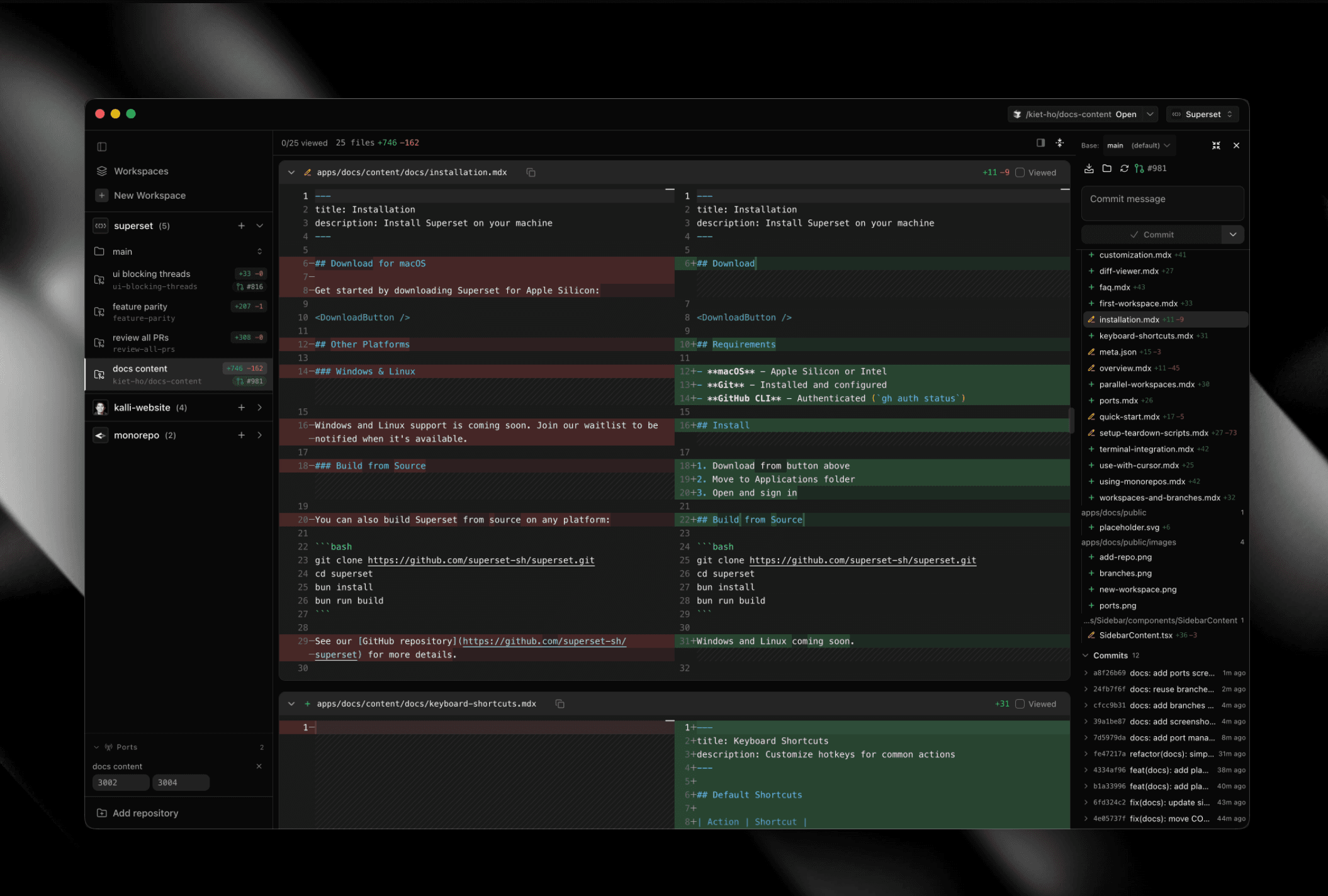
Features
- View changes - See modified, staged, and untracked files
- Stage/unstage - Select files for commit
- Commit - Write message and commit
- Push/Pull - Sync with remote
- Create PR - Open pull request on GitHub
The Changes control sits at the top of the right sidebar beside Pages and Run. It changes with the branch:
- Before a PR, with changed files - shows diff stats, with the ship actions (commit, push, create PR) in a chevron menu beside them
- Before a PR, no changed files - shows the next ship action that applies as a button
- After a PR exists - shows the PR badge. Its dropdown lists Commit and Push above the merge actions when there is something to commit or push
Click the diff stats or the PR badge to open or close the Changes pane; the ship actions do not toggle it. The control is hidden while the right sidebar is closed. For PR links and what each click does, see Pull Requests.
Diff Layouts
- Split view - Side by side comparison
- Unified view - Inline changes
Text Selection
Select text directly in the diff and copy it from the context menu.
Double-click a diff line, or right-click and choose Edit Here, to open the raw editor at the matching location.
Review Tab
The changes sidebar has a dedicated Review tab for PR review comments: read, filter, and respond without leaving the app.
- Resolved comments are separated from open ones so you can focus on what still needs attention
- Stays in sync with GitHub, refreshing automatically after PR mutations
- PR check status appears in the changes sidebar alongside the review state
Send PR Feedback to an Agent
To ask an agent to change specific PR lines, open Pull requests in the dashboard sidebar and select the PR's Code tab. Select the lines and send your feedback to a running agent or a new session. Posting the comment to GitHub is optional.
The agent receives the file, line range, and selected side of the diff. If the PR has no linked workspace, Paradev creates a PR-checkout workspace for the new session. Inspect the revision and run the relevant tests before merging.
See Pull Requests for the controls or send PR feedback to your coding agent for a walkthrough.
Focus Mode
Review one file at a time with navigation controls.
Toggle focus mode in the diff toolbar (target icon) to:
- View a single file with minimal distraction
- Navigate between files with Prev/Next buttons
- Jump between sections (Against base, Commits, Staged, Unstaged) via the section dropdown
- See per-section file counts and position (e.g., "2/5 in Staged")
Click files in the sidebar to jump directly to them in focus mode.