Core Features
Port Management
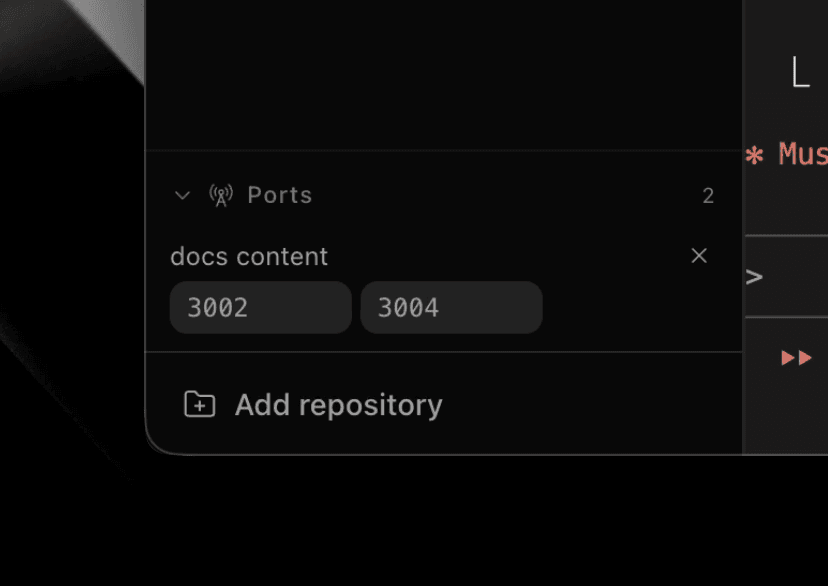
View and manage active ports per workspace
Overview
Paradev does not assign per-workspace port ranges. It discovers listening ports from processes running in each workspace and lets you manage them from the UI.
Features
- View active ports - See which processes are using which ports
- Kill processes - Stop a process by clicking its port
- Workspace grouping - Ports are grouped by the workspace that owns the process
- Terminal focus - Select a port to jump back to the terminal that owns it
- Browser actions - Open local web servers in the in-app browser or externally from the port action
Port Labels
Label detected ports by creating .superset/ports.json in your repository:
{
  "ports": [
    { "port": 3000, "label": "Frontend Dev Server" },
    { "port": 8080, "label": "API Server" },
    { "port": 5432, "label": "PostgreSQL" }
  ]
}
Fields:
port- Port number (1-65535)label- Display text shown in tooltip
Behavior:
- Labels apply only to ports detected as listening
- Ports without a matching label still appear
- Each workspace reads labels from its own worktree's file
- Changes are detected automatically
- Ports can be opened at
localhost:PORTfrom the browser action (remote workspace ports are forwarded to your machine first)
Error Handling:
If ports.json is malformed, detected ports still appear without labels until you fix the file.
Tips:
- Commit
.superset/ports.jsonto share port labels with your team - Pro tip: If you want deterministic per-workspace port ranges, implement it in project lifecycle setup/teardown scripts by reserving a range in a shared file (for example
~/.superset/port-allocations.json) during setup and releasing it during teardown. See this repo's examples:.superset/setup.shand.superset/teardown.sh.
Remote Access
The desktop app forwards detected ports from the selected remote workspace to your machine. If a local port is busy, choose Use another port from its row. See remote port forwarding for requirements and behavior, or forward a port yourself below.
Forward a port yourself
SSH: forward the port, then open http://localhost:3000 locally:
ssh -N -L 3000:localhost:3000 user@remote-hostTailscale: on the host, expose the port to your tailnet and open the URL it prints:
tailscale serve 3000Both work for servers that only listen on loopback. If the server binds 0.0.0.0, you can skip the tunnel and hit the host's Tailscale name directly (http://remote-host:3000).
Discovery and Updates
The port list updates as workspace processes start and stop listening.